Home » General Hacking
How to Use Multiple Facebook Accounts Login in Google Chrome


Hello all friends today i am going to show you how can you multiple facebook accounts login in Google chrome you already know that we have many facebook profile to access  but we can not able to use in a single browser  .we have mainly usa a single brwoser for all purposes.ifyou are a regulare user of google chrome and  would like to use multiple facebook account in ur google chrome browser.then it's so easy process..


This tips not required any software or it is a hard task to do by the way it's is an inbuilit and Google chrome in present already have this feature..

So guys follow the given belows steps for do this..

1. First you open ur google chrome brwoser then login in ur facebook account.

How to Prevent from the Phishing Web page using Domain name?


Hi friends, in my lost post i guide you to create a phishing web page using original Domain Name.  That post is for Attackers.  Here this post is for you victim.  If you don't like to become a victim of this Phishing web page, then you should read this post.


 Oh..!! i am sorry attackers. I must guide to the victim also.


Tips to Prevent:


1- Viewing SSL certificate:

2- Always check the url whether it is secure connection or not.  "https://" means secure connection.  "http://" means usual connection. 
  

Way to know if your email address is compromised or not

PwnedList is a tool that allows an average person to check if their accounts have been compromised. No passwords are stored in their database. You can read more about where their data comes from here. Just enter an email address associated with any of your accounts to see if it's on in list. Data entered is not stored in this site, re-used, or given to any third parties.if you don't trust them? You can also use a SHA-512 hash of your email as input. Just don't forget to lowercase all characters first.To get to know if you are hacked or not visit the following link.
https://pwnedlist.com/query

how to loginin windows without password in windows 8 customer preview


FOLLOW These Steps:


1- just press windos+r this is a comand to execute run and write this :


2- netplwiz and enter , 


3- a windows appears , uncheck where it says user must enter a name and password and press applay 

Hide Entire Drives Partition Without Registry


1) Go to Start > Run > type “diskpart”.
A DOS window will appear with following description.
DISKPART>
2) Then type “list volume”
The result will look something like one as shown below-
3) Suppose you want to hide drive E then type “select volume 3″
Then a message will appear in same window { Volume 3 is the selected volume}
4) Now type “remove letter E”
Now a message will come { Diskpart Removed the Drive letter }
sometime it requires to reboot the computer.
Diskpart will remove the letter.
Windows XP is not having capabilty to identify the unknown volume.
Your Data is now safe from unauthorised users.
To access the content of hidden Drive repeat the process mentioned above. But in 4th step replace ” remove” by “assign”.
It means type “assign letter E”.

How to disable/enable USB Port in Windows 7 ?


Step1: In Windows 7  press Windows key+R and type as “regedit

Step 2: It will open the Registry Editor of  your Windows 7


Transfer files of any size without uploading to a third-party server(between 2 person).


suppose a situation that one wants to send a file to one's friend which is more than the size which is normally allowed by one's mail server as gmail or yahoo mail.and one does'nt want to upload it on any third party server.In that case one should visit this website pipebytes.com .this website creates pipe between sender and reciever and allows the instant  simultaneous downloading of file while sending it from reciver,s side.

How To Instantly Close the Game when Dead is around


Dad’s Around is a simple Boss-Key application for all the times you were supposed to study but were playing a Computer Game instead.
Dad’s Around, which is activated with the Windows Key+Z combination, allows you to silence all sounds, minimize all windows, and throw up a black screen. The most dangerous option however, is the “Kill Foreground Process”, which does not raise any prompts or warnings, but very silently kills off the application.
Dad’s Around is distributed as a 7z archive, which can be extracted with the 7-Zip application.

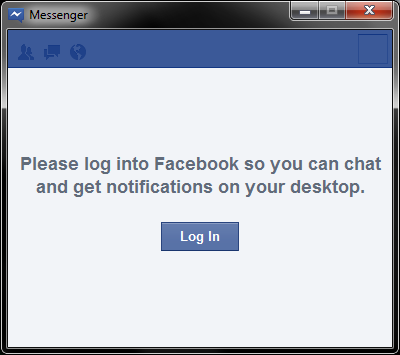
Facebook Messenger for Windows released

Today, Facebook Officially launched the desktop client of Facebook Messenger. Facebook Messenger is a Windows is a new, trial application that lets you use Facebook without being on www.facebook.com


While you surf the web or use other applications on your computer, you can:

Online Backup emails from email acounts


If you want to backup your emails from Gmail to the local computer, enable POP3 access in your Gmail settings and then use a desktop mail client to download a copy of all your messages from the Google cloud to the local disk. That’s easy!


Windows Live Mail, Outlook and Thunderbird are some nice email clients that can automatically and easily bring your entire archive of Gmail messages offline.


Why you should backup Gmail to the cloud?


If you are not a huge fan of desktop applications or if you think that setting up a Gmail backup plan involves way too much effort, you can consider creating a backup of your Gmail account in the cloud itself. Before we get into the details, here are three situations where an online backup of Gmail messages will come handy:


Reason #1 – If your main Gmail account gets hacked (it happened to me), you will still have access to all your previous emails.


Reason #2 – If you delete an important email from your Gmail Inbox by mistake, you can easily retrieve it from the online backup. Google Apps Premier has Postini to restore deleted emails, here you’re getting that facility for free.


Reason #3 – If the Gmail service goes down (yes, it happens), you will still be able to read your older emails. Gmail outage won’t affect work.


Backup your Gmail Messages Online
There are three services that can help you automatically backup your Gmail (and Google Apps) email accounts online and luckily, they won’t cost you anything.


gmail mail fetcher

Locking the windows registry


It is very useful for administrator to put system wide restriction on the system so that no user can change or edit registry.
1:open regedit from run.
2:Go or scroll down to
    HKEY_CURRENT_USER\Software\Microsoft\Windows\CurrentVersion\Policies\System

3:create a new DWORD value,DisableRegistryTools and set its data value to 1 for disabling and 0 to enable it    again.
4:exit from registry editor and restart the session by logging off the system.

happy hacking :-D

How to change the Boring icon of folder


friends isnt it boring that all folders in windows appear as boring yellow icon.so here are some tips to change that.

1: first create a text file name it as desktop.ini.
2:write the following thing inside the icon
[ShellClassInfo]
ICONFILE=c:\icons\abc.ico  (actual path of your image and image must be an icon (.icon extension)  file)

3:save this file inside the folder.

4:Dont forget to change the attributes of image to ReadOnly and Hidden to prevent any accidental damage.

Blocking access to specific drives (works on windows 7)


1: GO TO run then type in regedit.exe and open it.
2:search or scroll down the following registry key:
HKEY_LOCAL_MACHINE\Software\Microsoft\Windows\CurrentVersion\Policies\Explorer
(for system wide restriction)
or
HKEY_CURRENT_USER\Software\Microsoft\Windows\CurrentVersion\Policies\Explorer
(for user specific restriction)
3:create a new DWORD value, "NoViewOnDrive" and set its data value to the number of the drive that you want to    hide as per the bilow list:
A:1, B:2, C:4, D:8, E:16, F:32, G:64, H:128, I:256, J:512, K:1028, L:2048, M:4096 AND SO ON.
4:Exit the windows registry and restart the windows session for the changes to come into effect.

Google Most Important Tool For Instant Mail Checking


Installing or uninstalling the Notifier     

Windows:
Requires: Windows 2000,Windows 7 or Windows XP    
                                                           
1- To install the Gmail Notifier:

How to Recover Windows 7 Password~Windows Password Killer Tool


I have explained how to recover the lost password using Backtrack Password Cracking. Here i am going to introduce a new tool named as Windows Password Killer. It enables you remove windows 7 password to reset the administrator, standard user and guest passwords easily without any data losing or file damage.


There is 3 different editions - the Lite, Pro and Ultimate, here we take the Pro edition as an example for the password remove process with USB drive (CD/DVD also supported too).


Requirements:
1. Any Accessible Computer.
2.USB Drive or CD/DVD 


Step 1: Install Password Killer
Download the Windows Windows Password Killer from Here. 
Install the windows Password Killer in your friends or any accssible computer.


how-to-open-blocked-websites-in-simple-way/


Actually this title it's not really open blocked websites, but I think this method is useful when you're behind firewall. Today when I tried to open underground websites, there are some error that inform me "The Connection has been reset"…it's mean that when my computer sends packet to the internet, the firewall read it and quarantine my link as suspicious (as written by the firewall man or the man behind firewall in their list of rules…LoL). Usually when the firewall block some URLs, you can still use ICMP(Internet Control Message Protocol) packet request or PING(Packet Internet Groper). We can still PING the target address to know it's IP Address.  

C:\Users\abcd>ping www.bbc.com Pinging www.bbc.net.uk [212.58.244.69] with 32 bytes of data:
Reply from 212.58.244.69: bytes=32 time=657ms TTL=38 Reply from 212.58.244.69: bytes=32 time=656ms TTL=38 Reply from 212.58.244.69: bytes=32 time=663ms TTL=38 Reply from 212.58.244.69: bytes=32 time=662ms TTL=38
Ping statistics for 212.58.244.69: Packets: Sent = 4, Received = 4, Lost = 0 (0% loss), Approximate round trip times in milli-seconds: Minimum = 656ms, Maximum = 663ms, Average = 659ms

There we can see the IP Address of bbc.com. Now you can try to copy the IP Address and then open it in your favorite browser.
NB : – This methods can be used if the firewall only blacklist the URLs and not blocked the IP Address(usually they do only write the URL, not the IP Address ). -
 This method work when the firewall didn't block the ICMP Packets. - This methods is depend on firewall configuration, so doesn't mean it will work for all website URLs that have been blocked by firewall.
by:-   @$#

FIVE tips to make your Internet Browsing "more" SECURE

Step by Step : 


1. Make a Different Password Doesn't mean that you should make a different password for every website you've visited, because for normal people, they cannot remember too many password in their head. Try to prioritize which one is important and which one is not to important. Let's see explanation below : Try to make different password for important and not important one. In the example if you treat GMail and Yahoo as important, you can make the same password for it. It's better to make different password for your social network and your e-mail, let's say your facebook account has been compromised the attacker can't access your e-mail and you're still able to restore your facebook account.  

 2. Social Network Website and E-Mail I think there's so many people using a lot of variation social network such as facebook, twitter, etc, and also free e-mail service such as gmail, yahoo, live mail, etc. One thing you should remember that they also provide a secure HTTP service to make every connection secured. Make sure to check whether the website you visited that need authentication provide a https connection or not, if they provide https connection for login, make sure put https:// in the front of the address e.g  : https://facebook.com.   note : this will work only for website that provide https connection.  

How To Disable Facebook Timeline?

Follow the steps and your profile will be back in the old Facebook GUI.

Step 1:   Open this URL https://developers.facebook.com/apps and click on “Edit App“.


Step 2 :  On the left sidebar, click on “Delete App“.

Delete or Remove Recycle bin icon from Desktop (PC)

Follow the steps below:


1- [Start] [Run] [Regedit]


2- Registry Key: HKEY_LOCAL_MACHINE\SOFTWARE\Microsoft\Windows\
CurrentVersion\Explorer\BitBucket


3- Modify/Create the Value Data Type(s) and Value Name(s) as detailed below.


4- Data Type: DWORD // Value Name: NukeOnDelete

Trojan horse Generator (Easiest Way)


Today, i am going to teach you how to creat your own trojan virus with a software,it's too much easy,like a plain sailing and everyone can understand it.Read my short guide and enjoy having fun with your own trojan


THING WHICH YOU NEED IS:


>:Getbatch trojan generator . downlod here


METHOD:


1: Download trojan generator and open it .


2: A window will pop out like this one: